Free
$0 · forever
Up to 100 feeds, with encrypted sync across devices. The full reader: keyboard shortcuts, full-text extraction, OPML with folders, 1,300+ feeds to browse, starring, offline reading, encrypted local storage. No card, no email.

An open-source RSS reader that runs in your browser, is lightning fast, keyboard-driven, and privacy-first.
Open the app, it's free Try Supporter, 14 days free
Or self-host:
./scripts/feedzero up →
Philosophy
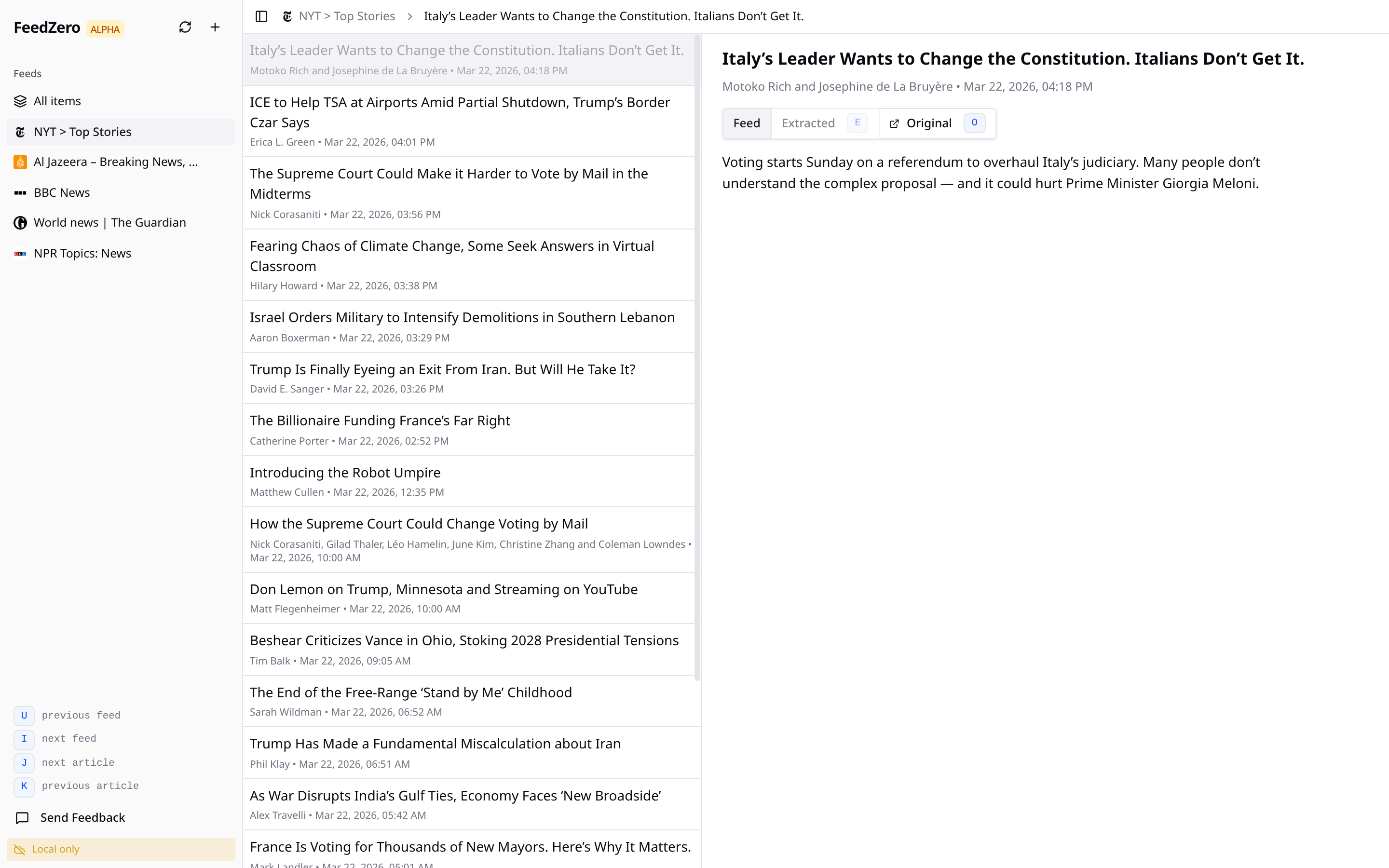
Most sites publish a list of their new posts — a feed. FeedZero subscribes and shows everything in one inbox, sorted by date. No "for you", no promoted, no algorithm.
If you miss the simplicity of Google Reader, or want an alternative to Inoreader, Feedly, and others.
Currently in alpha (v0.15.0). Used daily by the people building it.
Functionality
Using FeedZero is free, including sync for up to 100 feeds. Become a Supporter ($9/yr) to get Signal, an optional AI briefing builder, as well as smart filters, auto-organization of feeds, and offline reading with article pre-fetching.
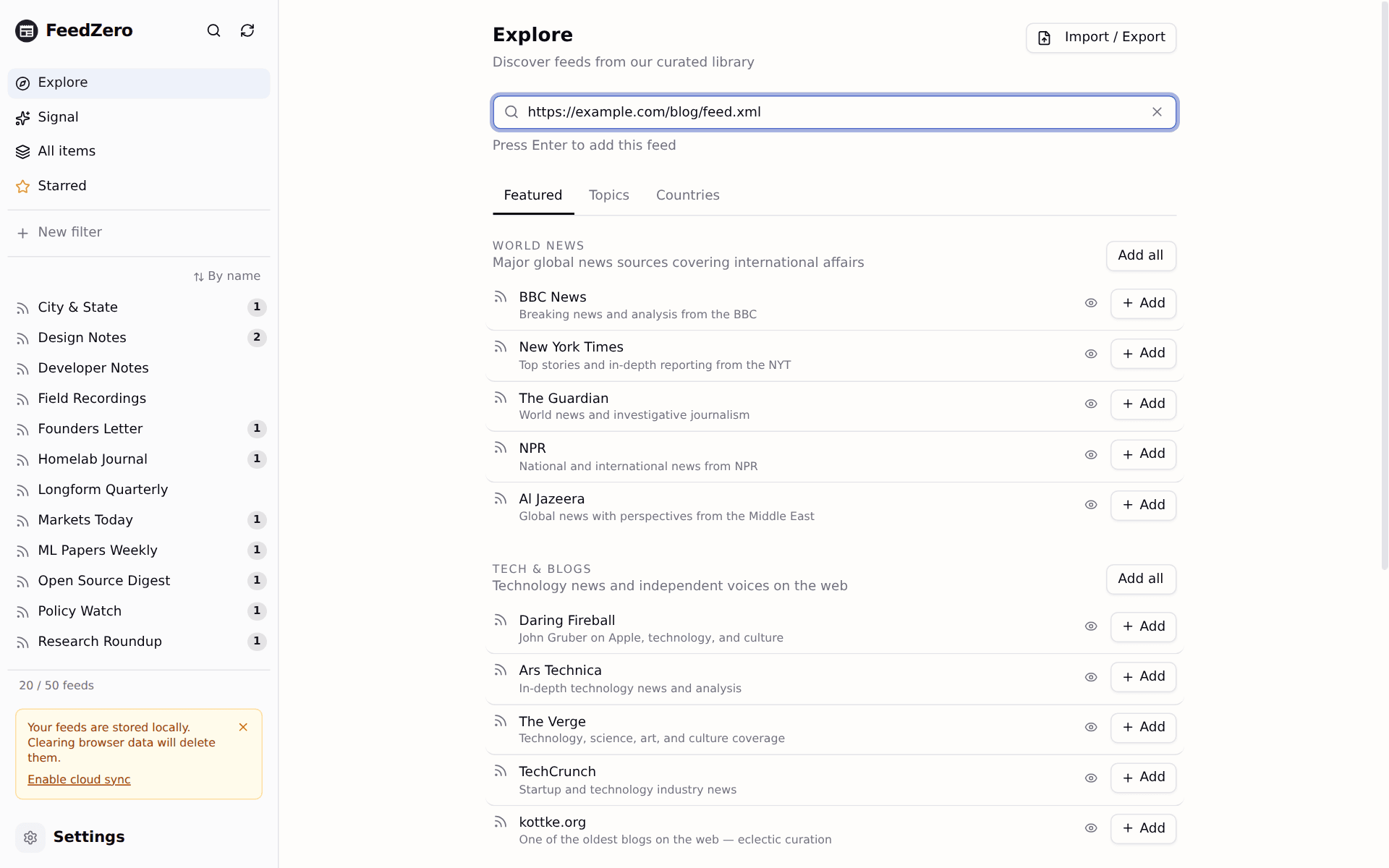
Blogs, YouTube channels, Substacks, GitHub releases. If it ships a feed (most do), you can read it.
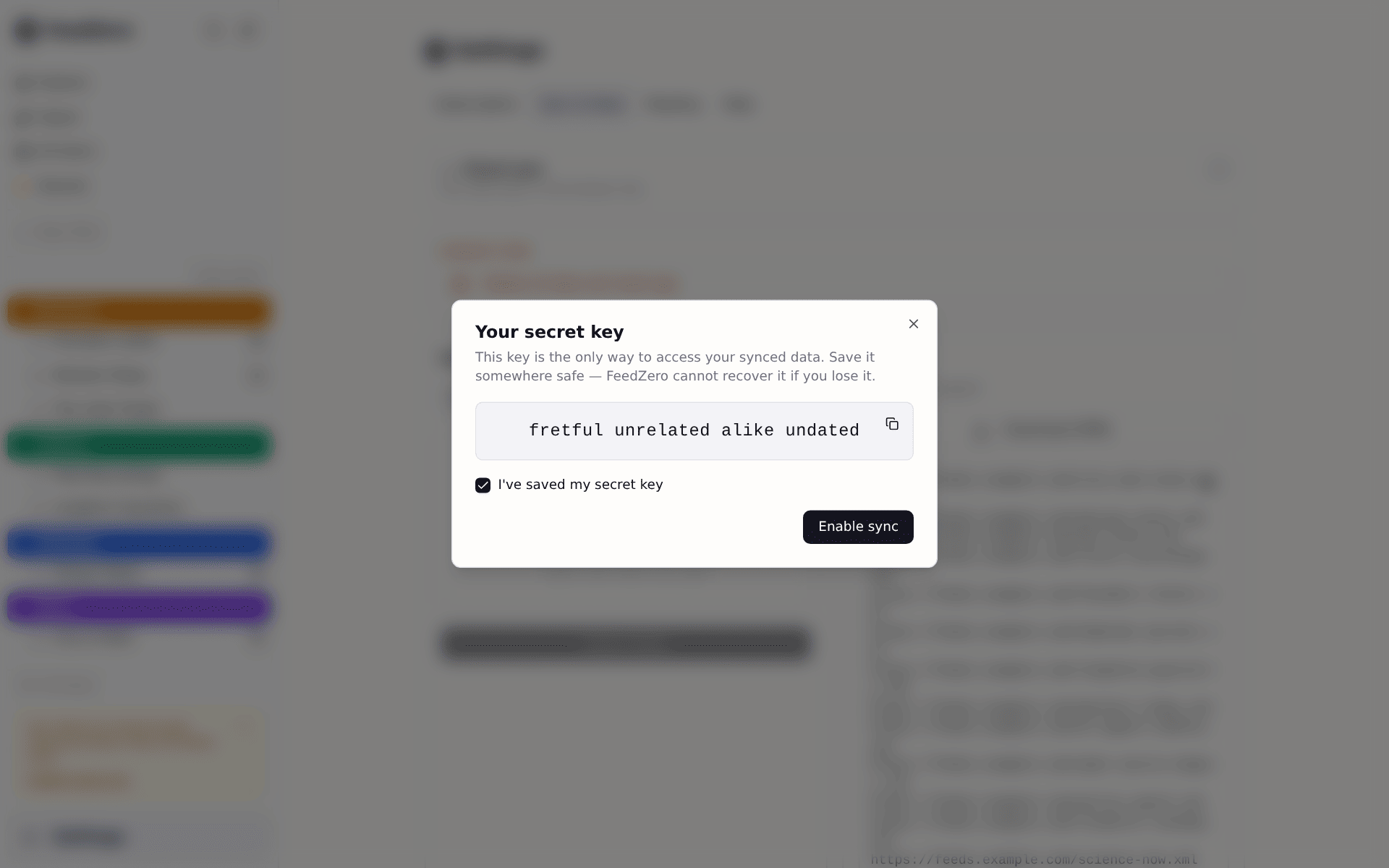
Subscriptions, folders, and read state follow you. Feed lists are encrypted in your browser, so nobody can reconstruct what sources and sites you're following.
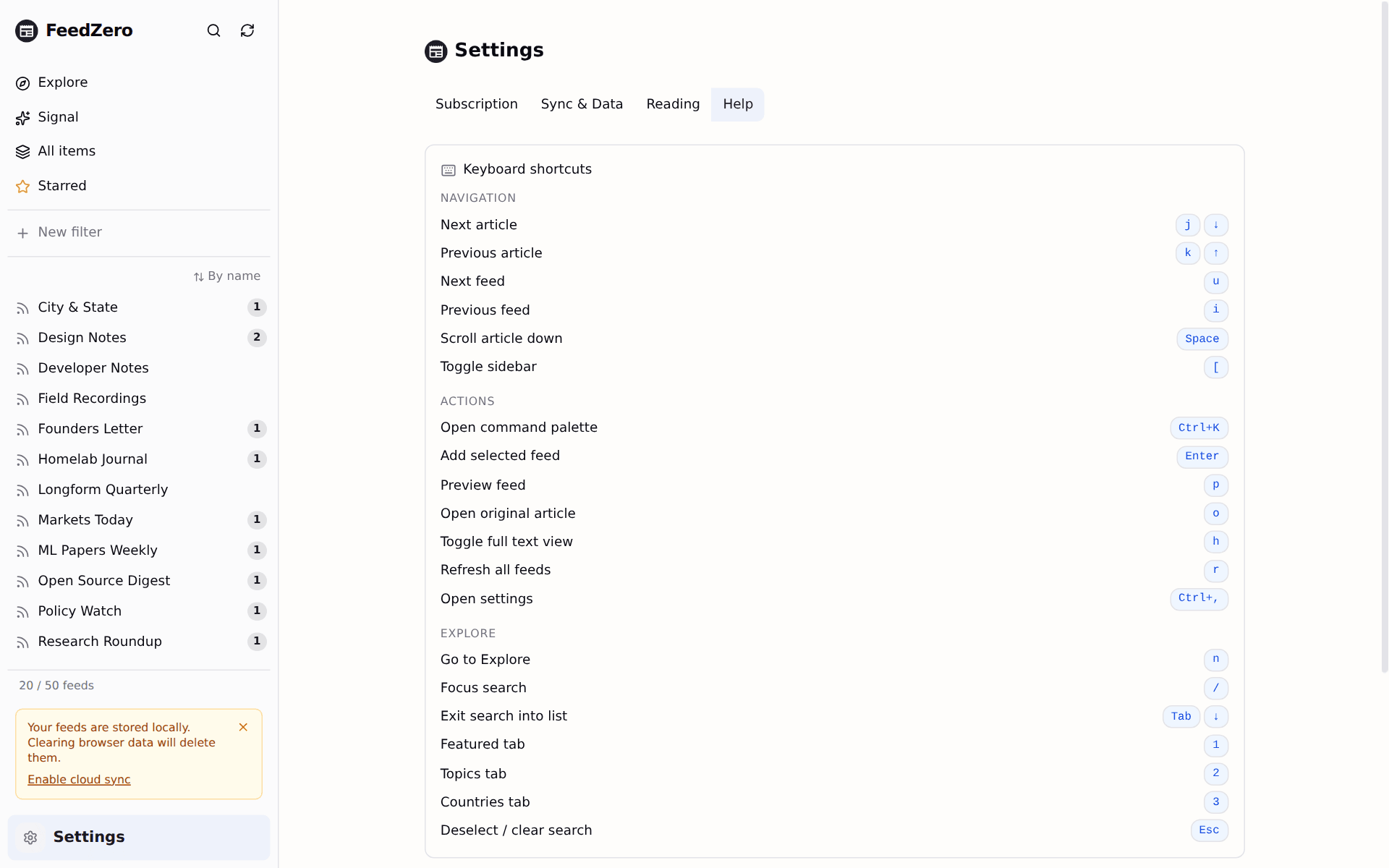
Move with j/k, jump feeds with u, open the original with o. Or click with your mouse, if you prefer.
Import OPML or paste feed lists from Feedly, Inoreader, or NetNewsWire including folders. Export the same way, any time.
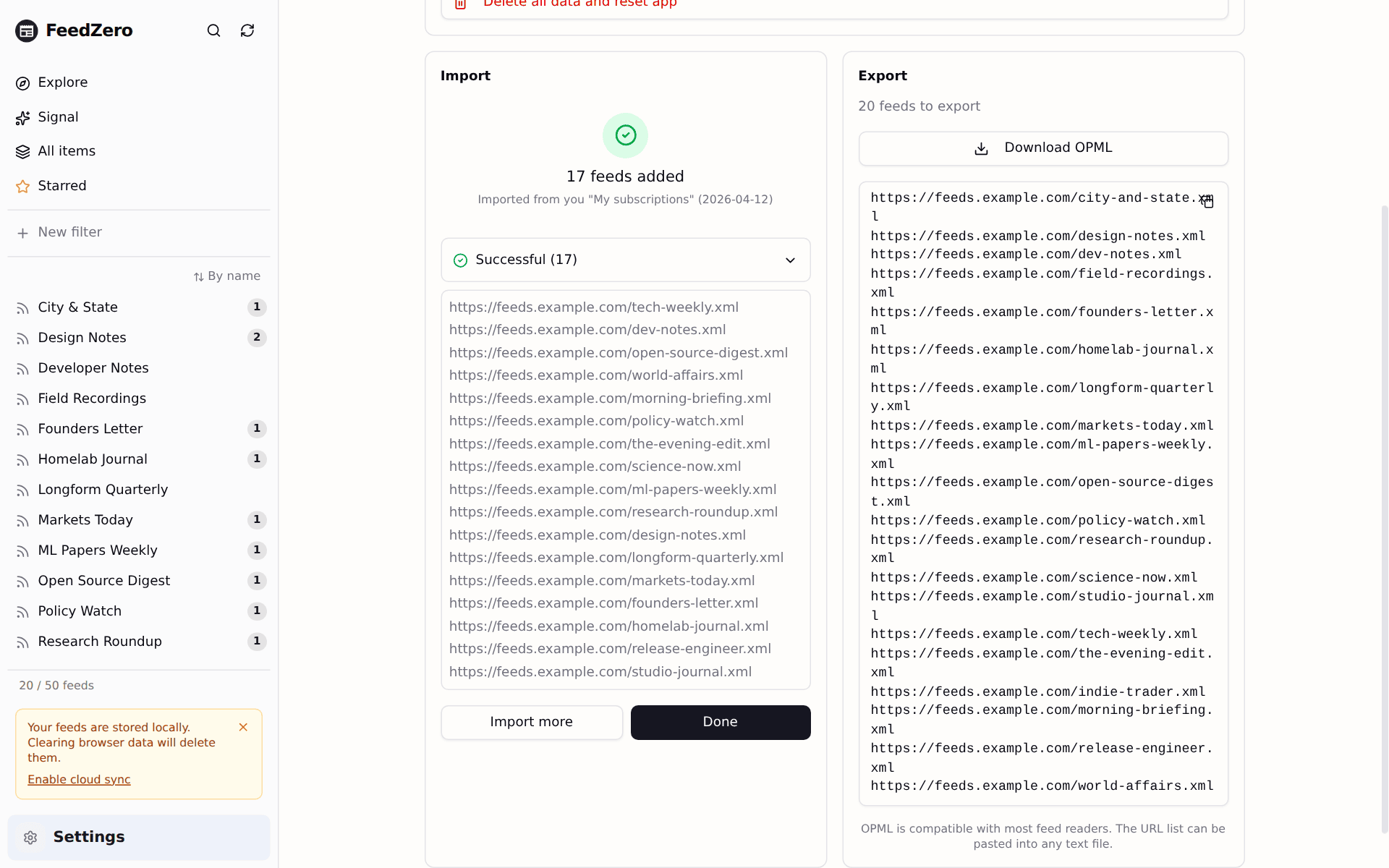
Hit s to save any article. Supporter also downloads the full text in the background — covered on the train, on the plane, anywhere.
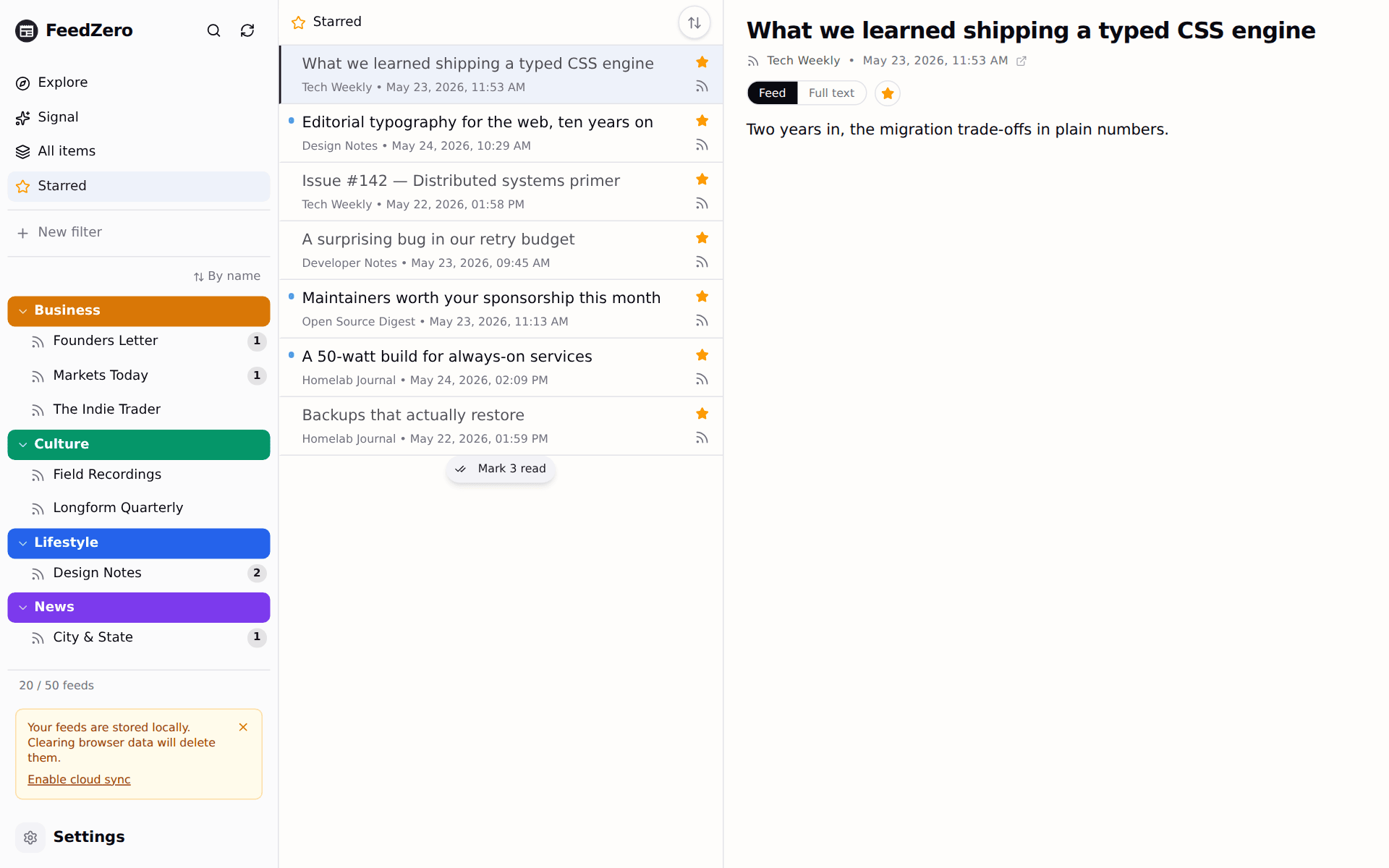
One click and FeedZero sorts your subscriptions into topic folders. Tweak it, undo it. On-device, without AI.
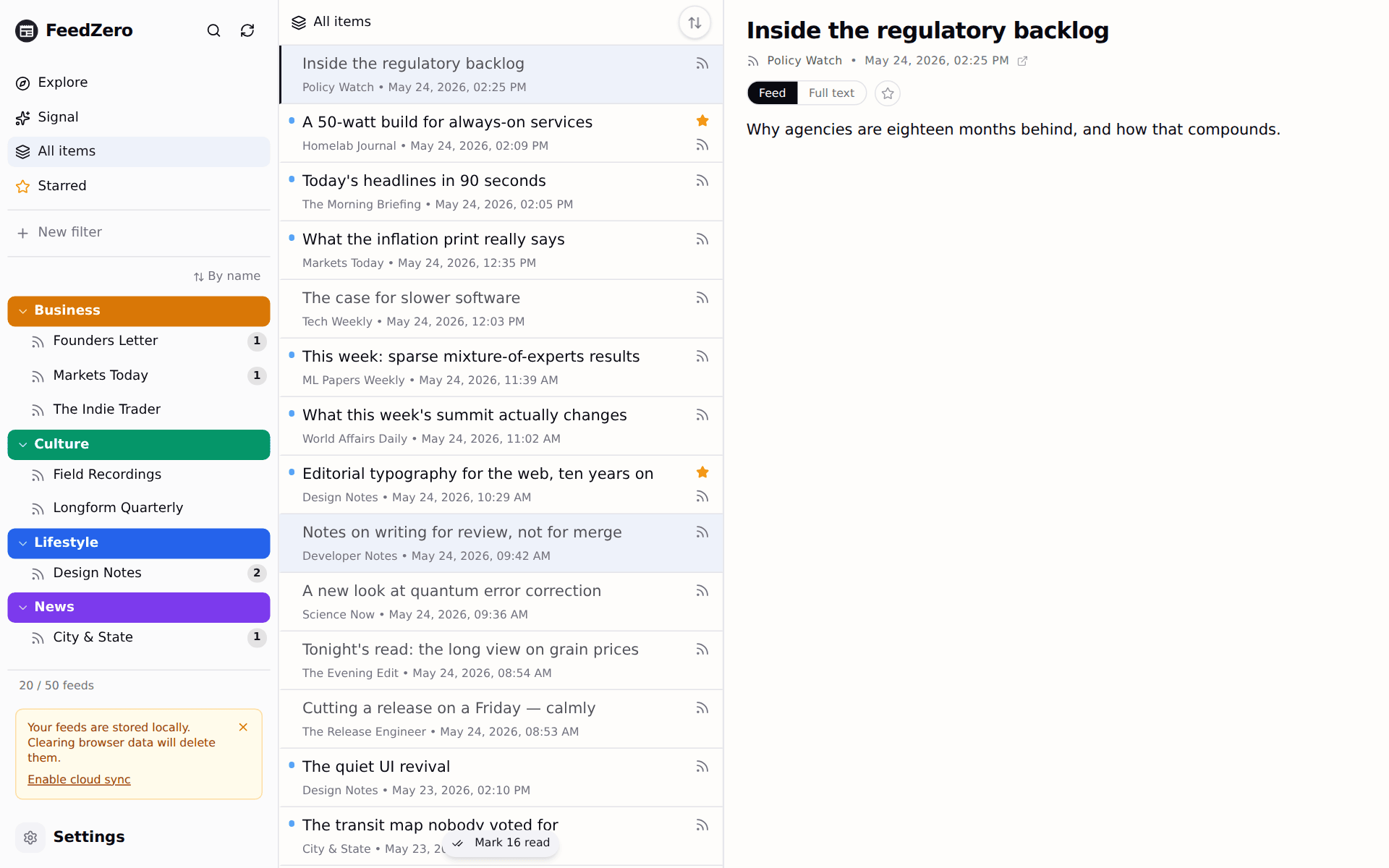
"Politics, this week, unread." Stack conditions with AND/OR/NOT and FeedZero keeps a live feed of every match. Syncs across devices. Remember iTunes?
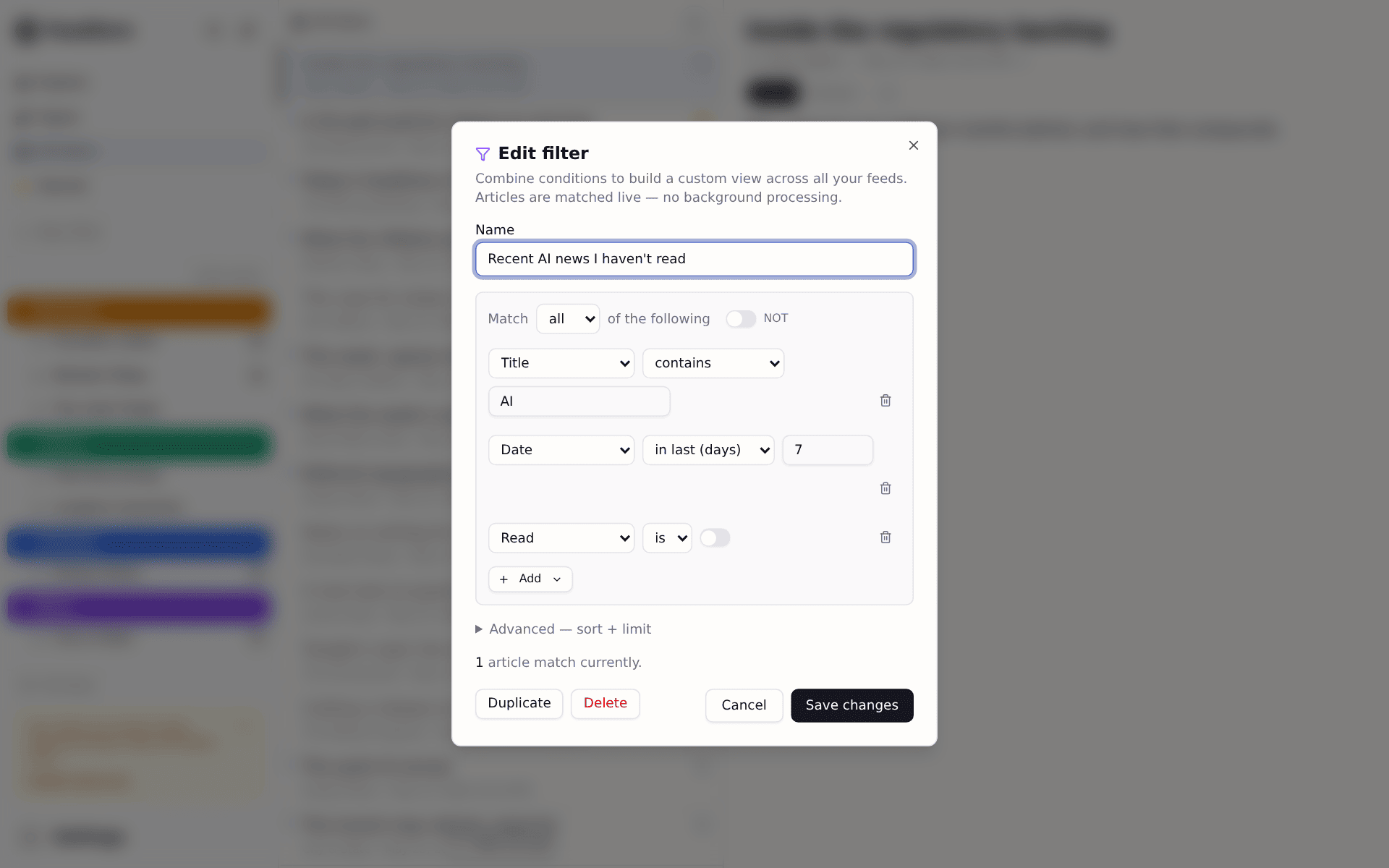
Browse a curated catalog by topic and country. One click to subscribe.
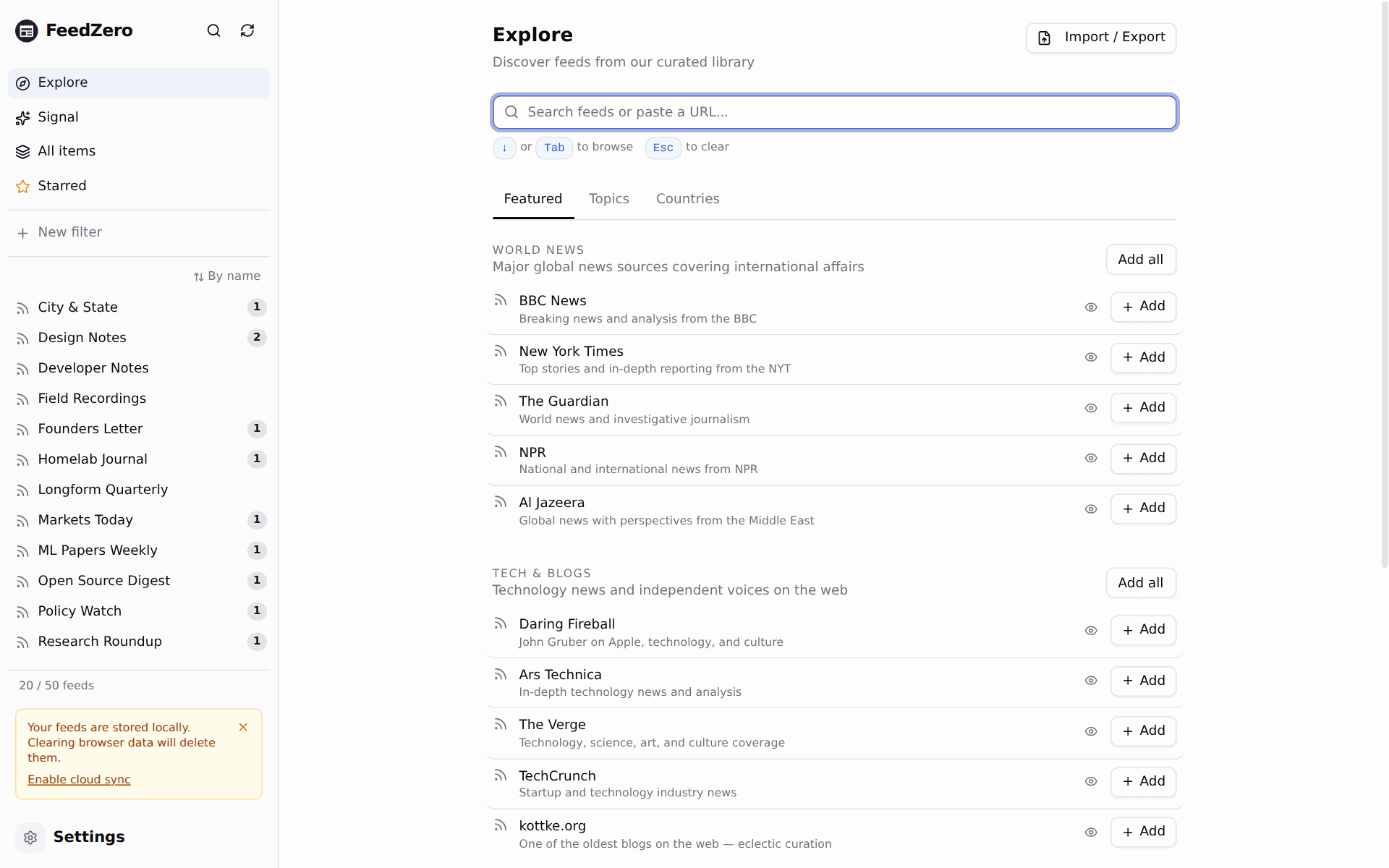
When a feed only ships the first paragraph, FeedZero fetches the rest. Stay in the reader.
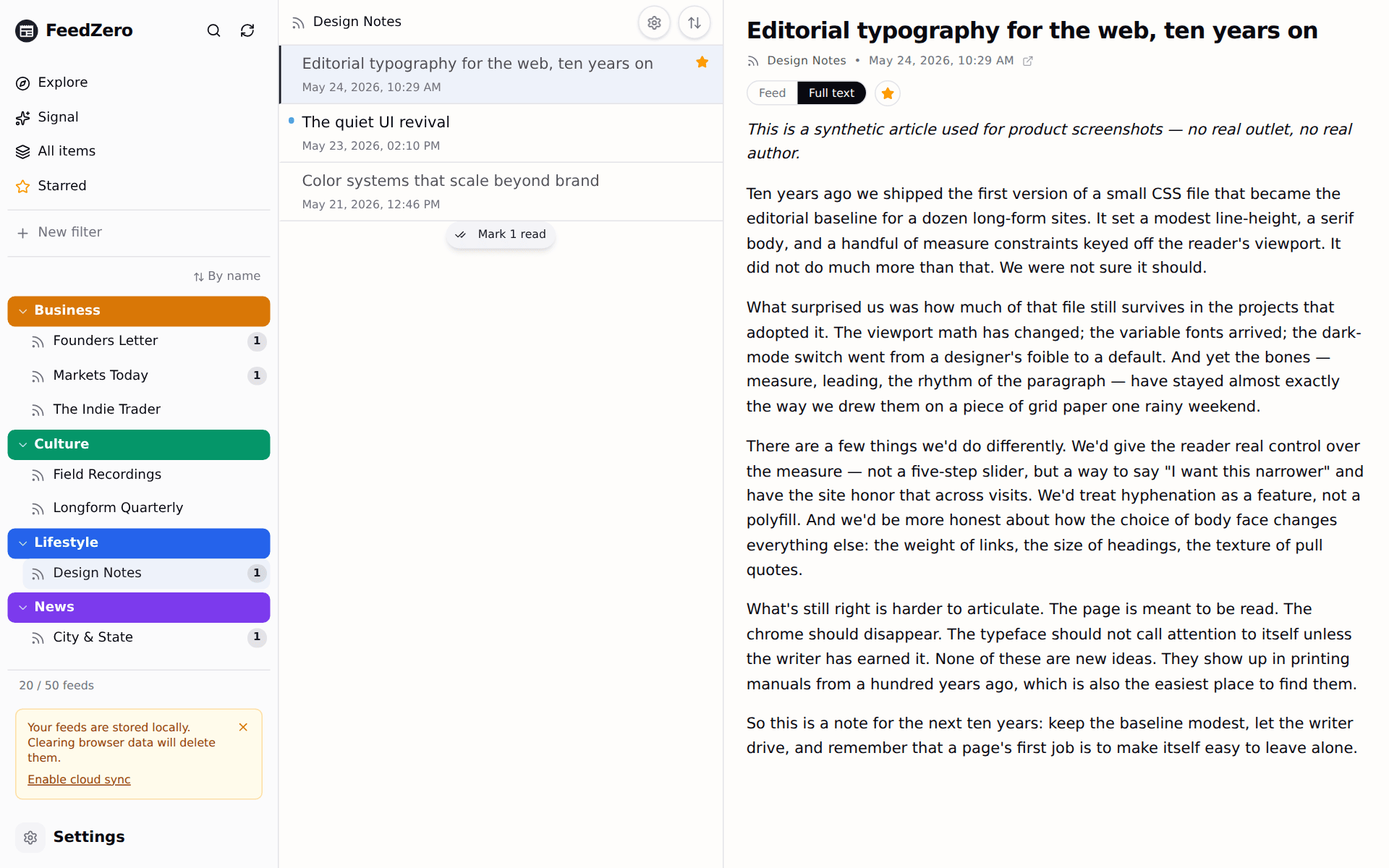
Loaded articles stay readable without a connection.
Swipeable drawer, snap-scroll list, safe-area for the notch.
No email, no password, no "sign in with Google." Sync uses a passphrase, not a login.
No ads, no analytics SDKs, no Tag Manager, no Pixel. We don't log what you read.
Docker, Caddy, automatic TLS. amd64 and arm64 on GHCR, Pi included.
Curious yet? Open the app. It's free, no sign-up. You'll be reading in 30 seconds.
Open the app →Comparison
Built with care, FeedZero believes news should be accessible and software should be cheap.
| FeedZero | Feedly | Inoreader | Reeder | NetNewsWire | |
|---|---|---|---|---|---|
| Platform & money | |||||
| Runs on | Web | Web, iOS, Android | Web, iOS, Android | iOS, macOS | iOS, macOS |
| Free tier | with ads | with ads | |||
| Paid plan starts at | $9/yr | $72/yr* | $120/yr* | $9.99/yr* | Free |
| Open source | AGPL-3.0 | MIT | |||
| Self-host | —native app, no server | ||||
| Privacy | |||||
| Works without any account | email + password | email + password | Apple ID + sync provider | Apple ID + sync provider | |
| End-to-end-encrypted sync, included | —via provider you choose | —via provider you choose | |||
| No ads, no third-party trackers | |||||
| Reading & organising | |||||
| Full-text article extraction | Pro tier | Pro tier | |||
| Offline reading with full-text prefetch | Supporter: starred + read-often | Pro: offline mode only | Pro: offline mode | ||
| Star, with offline copy of starred | Supporter | Pro Save for Later | |||
| One-click auto-organize folders | Supporter | via Leo AI | |||
| Folder colors + custom feed sort | Pro themes | sort only | sort only | ||
| Power tools | |||||
| Smart filters | Supporter | Pro+ tier only | Pro tier | ||
| Per-feed rules (auto-actions on new articles) | Supporter | Pro+ Mute Filters | Pro tier | ||
| Bridges — paste a Reddit, GitHub, Mastodon, or YouTube URL | Supporter | YouTube + Reddit | YouTube + Reddit | YouTube only | |
| Signal — trends across your feeds, on-device, no AI | Supporter | Leo, cloud AI | cross-user Trending | ||
*Cheapest paid tier on an annual plan, checked 2026-05; competitor pricing and feature tiers change — verify on their sites before deciding. "Apple only" means macOS, iOS, and iPadOS; FeedZero runs in any modern browser including Safari, Firefox, Chrome, and Edge. FeedZero is open source under AGPL-3.0; all other product names are trademarks of their respective owners.
Pricing
FeedZero is built as an open-source project, with a belief that it earns to be paid for by providing the best value.
Free
$0 · forever
Up to 100 feeds, with encrypted sync across devices. The full reader: keyboard shortcuts, full-text extraction, OPML with folders, 1,300+ feeds to browse, starring, offline reading, encrypted local storage. No card, no email.
Supporter
$9 · /year USD
Everything in Free, plus Signal, smart filters, auto-organize folders, offline prefetch, and unlimited feeds. Cancel anytime during the trial; no charge until day 15.
Self-host
$0 · AGPL-3.0-or-later
Your server, your data. Every Supporter feature unlocked: unlimited feeds, Signal, auto-organize, smart filters, offline prefetch. Sync runs on your own server. No license check, no kill switch, no phoning home. Three commands to deploy.
Already a Supporter? Open the app and sign in with your license. One purchase, every device. · See the full comparison →
FAQ
The reader and encrypted sync are free — they cost little to run. Being open source means you can self-host and even change the app. However, if you prefer a hassle-free, hosted experience, you can pay a small fee for that.
The reader keeps working. Sync keeps working — it's free for everyone. You lose Signal, smart filters, auto-organize, offline prefetch, and the 100-feed cap comes back. Re-subscribe any time, or export to OPML and walk away.
Yes. Encryption happens in your browser with a four-word passphrase only you know. The server holds ciphertext it has no way to decrypt — not for support, not for a subpoena, not for us. Lose the passphrase and your cloud data is gone. There's no reset; that's the trade-off.
Yes. One Supporter subscription covers unlimited devices. Enter your sync passphrase to restore, paste your license to unlock. No per-device fees, no seat limits.
No catch. Full reader, same speed, same OPML export, same encrypted sync. Capped at 100 feed subscriptions; beyond that, subscribe or self-host.
Export to OPML in one click and import into any other reader. Or run the open-source build yourself: AGPL code, Docker image on GHCR, self-hosting guide in the repo. The format is yours.
Privacy
Your subscriptions and reading history live in your browser, encrypted. Turn on sync and the server stores a vault it has no way to decrypt — the keys never leave your device.
No third-party trackers, no analytics SDKs, no ads. We don't log what you read. The server sees the feed addresses (it fetches them on your behalf); if that bothers you, self-host.
For the curious: AES-GCM-256 with PBKDF2 at 600k iterations; sync keys derived from a four-word EFF-wordlist passphrase. Threat model and limits in SECURITY.md.
Open source
Source on GitHub under AGPL-3.0-or-later. Audit it, fork it, send a patch.
Self-hosting, three commands:
$ git clone https://github.com/forcingfx/feedzero.git
$ cd feedzero && cp .env.example .env
$ ./scripts/feedzero up
Automatic TLS, multi-arch images, one-command day-2 ops. Full walkthrough in the self-hosting guide.
Changelog
Newest first. Also an Atom feed.
Sync accepts larger vaults and shows how close a vault is to the size limit. The mobile reader's swipe-back was rebuilt, and several sync, reading, and navigation bugs are fixed.
Pricing collapses to a single annual plan. The Pro tier is retired, the free feed limit rises to 100, and the reader gains width, unread-only, and feed-icon preferences.
The reader opens as a layer over the article list, rows swipe to mark read, lists pull to refresh, and mark-all-read can be undone. Reader text size is now adjustable, and expired license tokens explain themselves.
?. The command palette advertised the shortcut previously without implementing it. The overlay and the list in Settings now render from one source, so they cannot drift apart.Free, fully-readable articles no longer show a false paywall box, and self-hosted deployments on a LAN or bare IP now serve HTTPS without manual certificate setup.
feedzero.ps1 now classifies the host and selects self-signed internal TLS for IP, localhost, and .local deployments, matching the existing shell script.SSL_ERROR_RX_RECORD_TOO_LONG. The server CLI now classifies the host and serves self-signed internal TLS automatically for IP, localhost, and .local hostnames.Signal surfaces what is loud across your feeds entirely on-device. Cloud sync is now free for everyone. Per-feed rules act on new articles automatically, feeds refresh in the background, and non-RSS sources work by pasting their URL.
Covered by N outlets badge. Story rows show a peek preview on hover or tap before opening the full reader, and the back button returns to Signal rather than the feed list. It unlocks once the local corpus reaches 100 articles and runs with no external API or LLM. Available on the Personal tier.Prefetch full text toggle that extracts the 20 most recent articles on each refresh for offline reading. Feeds you read often (10 or more articles in the past 30 days) prefetch automatically, with the selection computed on-device from the encrypted vault. Available on the Personal tier.Refresh all entry in the navigation drawer, both showing a spinning Refreshing state while they run.Refresh now and Clear cached articles actions now disable while running, spin their icon, and confirm with a toast.Self-host deploys in three commands via Docker. The client stops loading Vercel Speed Insights. Error logs stop emitting feed URLs. The repository ships an explicit AGPL-3.0-or-later LICENSE.
cp .env.example .env, edit one value, run ./scripts/feedzero up. Day-2 ops (update, backup, restore, logs, doctor) wrap the underlying docker-compose commands so self-hosters do not memorize them.scripts/feedzero (POSIX shell) and scripts/feedzero.ps1 (PowerShell) so the same surface works on macOS, Linux, WSL2, Git Bash, and native Windows.docs/self-hosting.md. Covers Docker installation on each OS, public-hostname deploys via Let's Encrypt, LAN-only deploys with self-signed certs (with per-OS instructions for trusting Caddy's root CA), day-2 operations, and the seven failures self-hosters actually hit.ghcr.io/forcingfx/feedzero on every version tag. Raspberry Pi self-hosters no longer rebuild from source on updates.LICENSE file and a matching SPDX identifier in package.json. Section 13 (the network-use clause) means anyone running a modified FeedZero as a public service must offer their users the modified source.isXxxPage flag./api/feed or /api/icon emitted the target URL into stdout, where it landed in operator-readable log retention. The privacy-floor logger (logError) now handles both call sites with an opaque trace id the user can quote in support.@vercel/speed-insights client SDK. The README's headline privacy promise (“No telemetry. No analytics. No crash reporting. No third-party tracking.”) now matches the shipped code. No page-view or Web-Vitals beacons leave the browser.The sidebar's settings dropdown collapsed into a single button opening a unified five-tab dialog. License holders can now log in to a fresh device via a two-step wizard. OPML import and export preserve folder organization.
Flooding feeds no longer drown out everything else in aggregated views, a Restore-from-cloud button recovers from drifted local state, and a cross-device sync race that left Device B with the wrong feed list is fixed.
Restore from cloud button to the Data & Storage dialog. Replaces local feeds and articles with the cloud vault without deleting and recreating the vault, which is the recovery path when a device's local state drifts from what the cloud knows.Three production bugs fixed across cloud sync, the public stats page, and mobile dialogs. Server-side storage consolidated onto a single backend. Every error response now carries a trace identifier for support.
429 Retry-After per RFC 6585 when exceeded.req_ followed by 8 hex characters) to every non-2xx response from the monetization endpoints. Quote it in a support report and the issue can be looked up in the runtime logs.SMOKE_TESTS=1 npx vitest run tests/smoke/. The smoke layer is now a required phase of the standard development workflow.[object Object] instead of the encrypted payload. The server was storing vaults correctly all along; only the read path was broken. Existing vaults are unaffected and now load correctly.A latent bug in the new-user initialization path that could leave the app marked as onboarded after a failed first init is fixed.
A persistent swipeable bottom drawer replaces the offcanvas mobile sidebar, navigation pills handle prev/next on every device, and a public /stats dashboard exposes anonymous usage numbers.
/stats. Shows total vaults, total feeds tracked, and the top 100 feeds by request volume. No accounts, no personal data, no login.Three-panel resizable desktop layout, always-visible prev/next navigation, pull-to-advance on mobile, folder colors, and keyword-based auto-organize.
display:table wrapper that breaks text wrapping) with a native overflow-y-auto container.Organize feeds into collapsible folders, read all items in a folder at once, and swipe between articles on mobile.
articlesByFeedId) instead of a separately stored counter. Badges update immediately after adding a feed from the Explore tab.:focus-visible so keyboard users still see the dots when tabbing.The release notes are now an Atom feed that any RSS reader can subscribe to.
Removed the desktop header bar. Added per-feed unread counts and in-memory article preloading.
Tracking pixels and URL tracking parameters are removed from feed content before it reaches the browser.
utm_*, fbclid, gclid, and around 20 similar parameters are removed from links inside article content.Fixes for favicon loading, feed refresh, and error messages.
Palette, transition, and typography adjustments.
prefers-reduced-motion media query is honored.A catalog of around 1,000 feeds, vim-style keyboard shortcuts, end-to-end encrypted sync, and OPML import/export.
j/k for next/previous article, Enter to add a feed, Space to scroll, h for full text view, o to open the original.The initial alpha.